Brief 01 - Navigation & Search
EUR-LEX AI-Powered UX Redesign
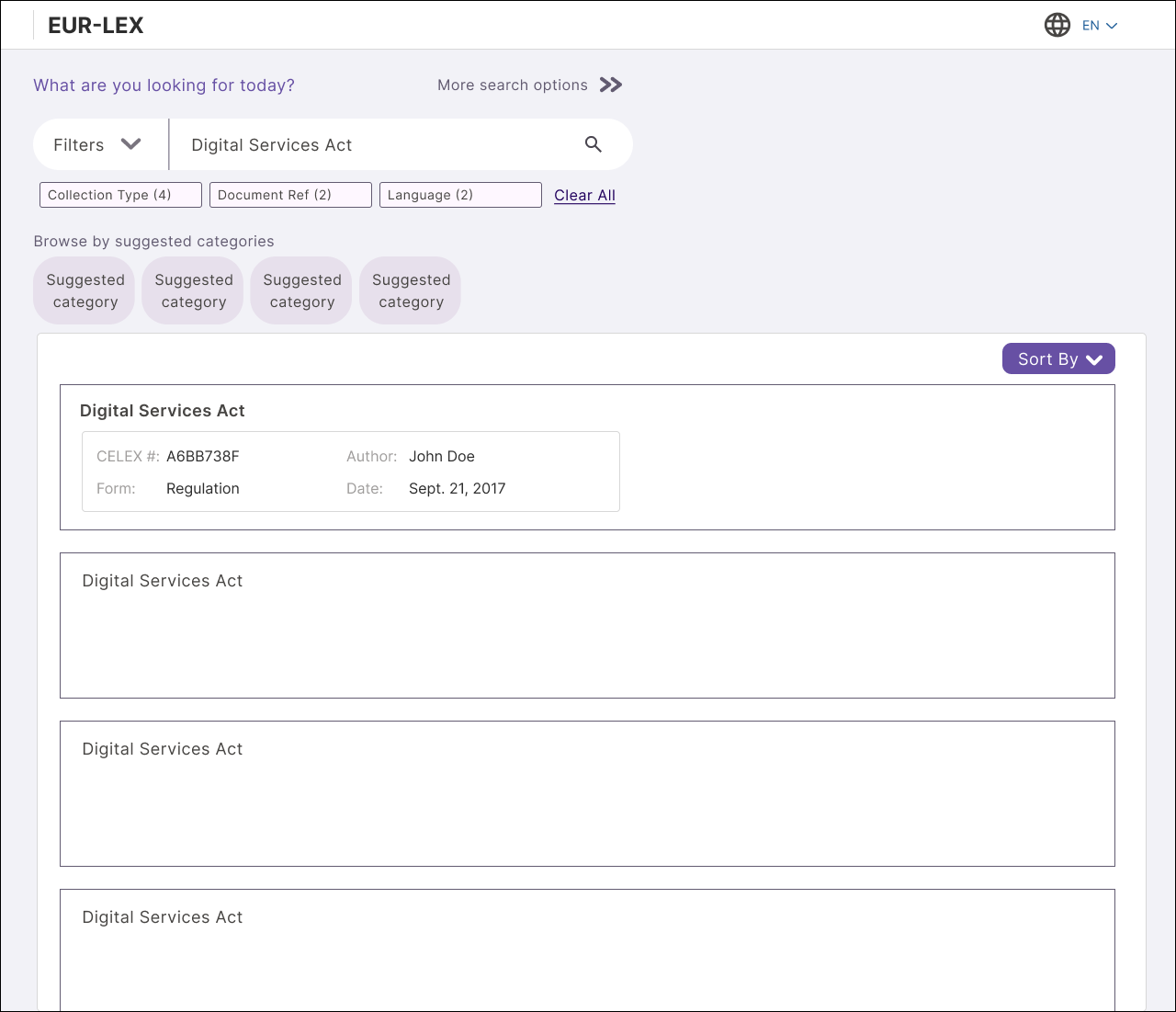
EUR-LEX is the EU's official legal database. It is an archive of legislation, case law, and official documents used by legal professionals, researchers, and policymakers. The brief: redesign its navigation and search experience, and explore how AI could surface the right content faster for expert users.
Information architecture
AI-assisted search
Complex navigation
Document discovery
Approach
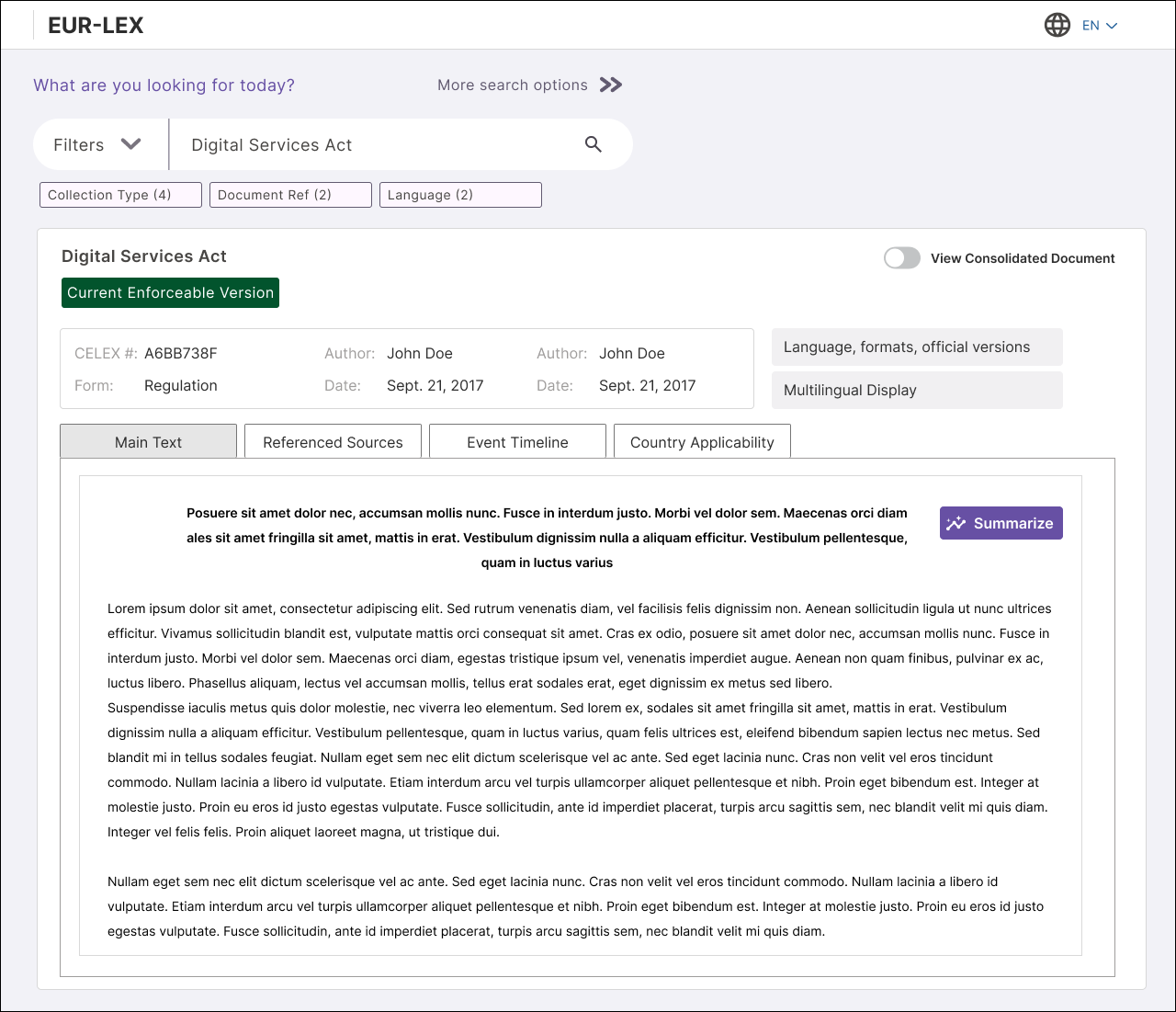
Started by mapping the 4 main user flows and identifying friction points. Each user flow used EUR-LEX differently, according to their expertise and goals. The overarching goal was to help users find relevant documents, and more specifically, relevant pieces of information within those documents, accurately and faster.
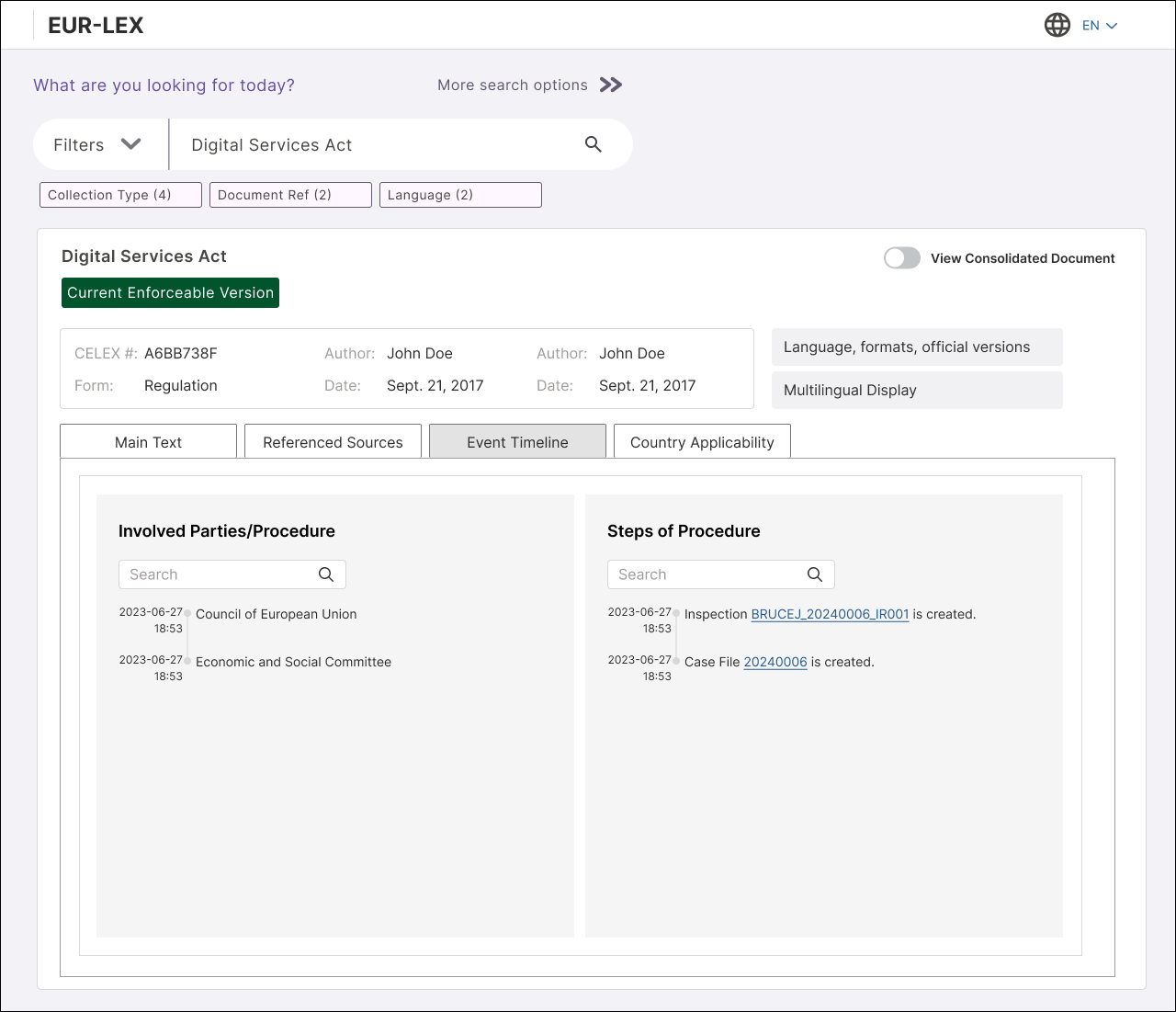
In order to accomodate the different search needs in such an expansive database, I had to revamp the entry points to a particular page using progressive filters, contextual AI powered search tools, and clear navigation structure once a user landed on their desired page.
View in Figma ↗
Brief 02 - Complex Data Tables
AI-Powered Financial Stock Application
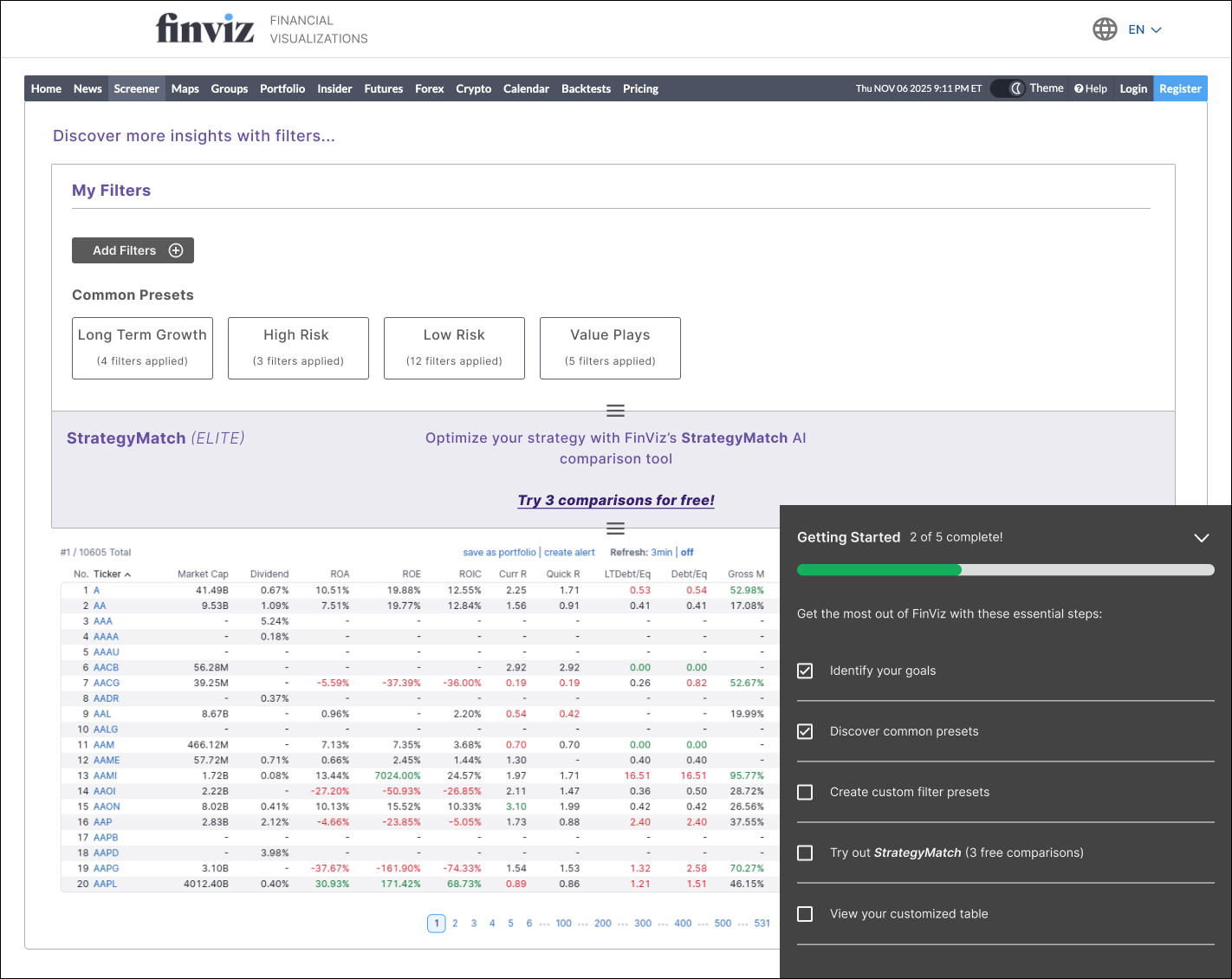
Re-designing a professional financial data platform where users need to monitor, compare, and act on large volumes of real-time stock data. The challenge: make dense data scannable, filterable, and actionable, without overwhelming users.
Data tables
Complex filtering
Display customization
Comparative analysis
Approach
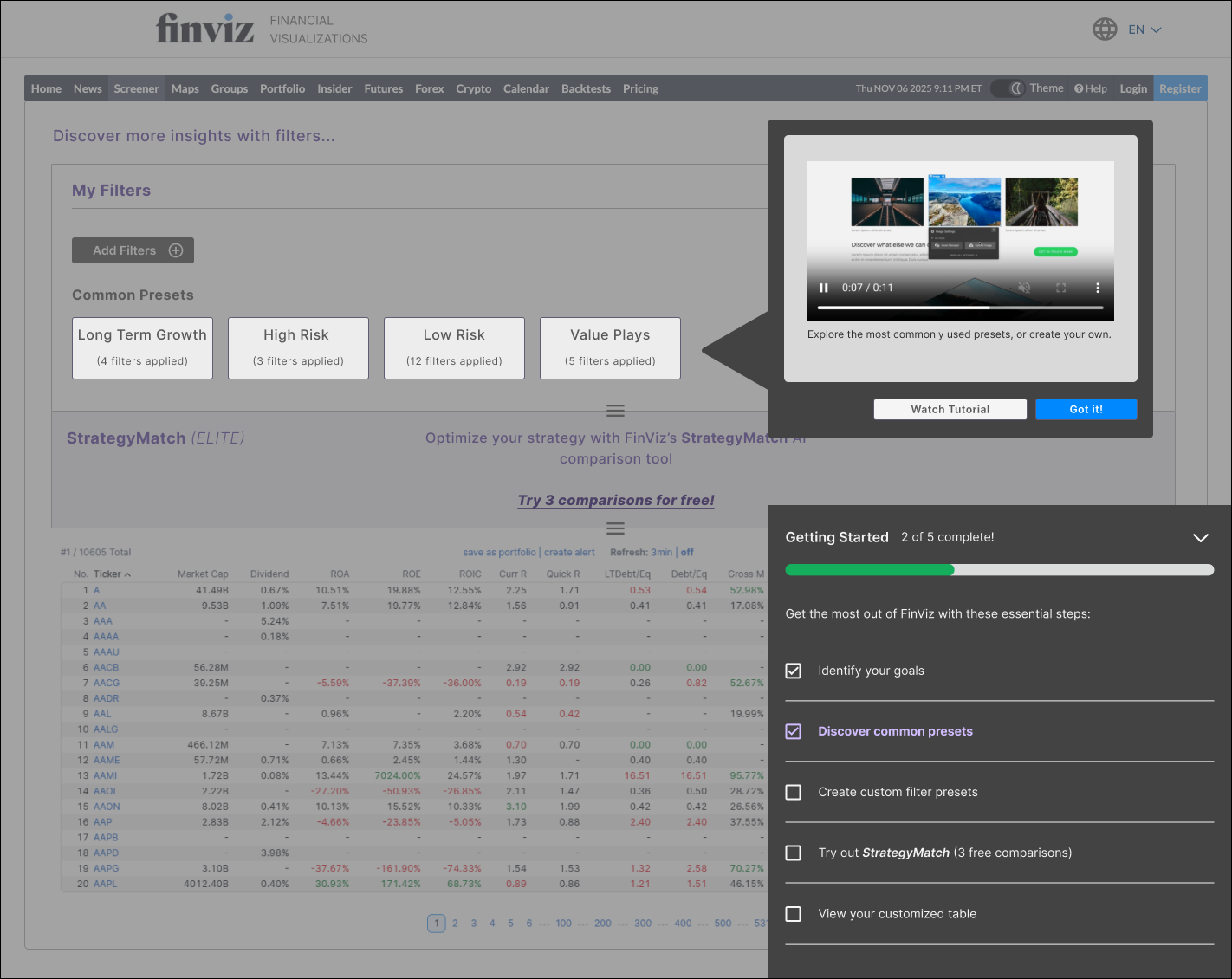
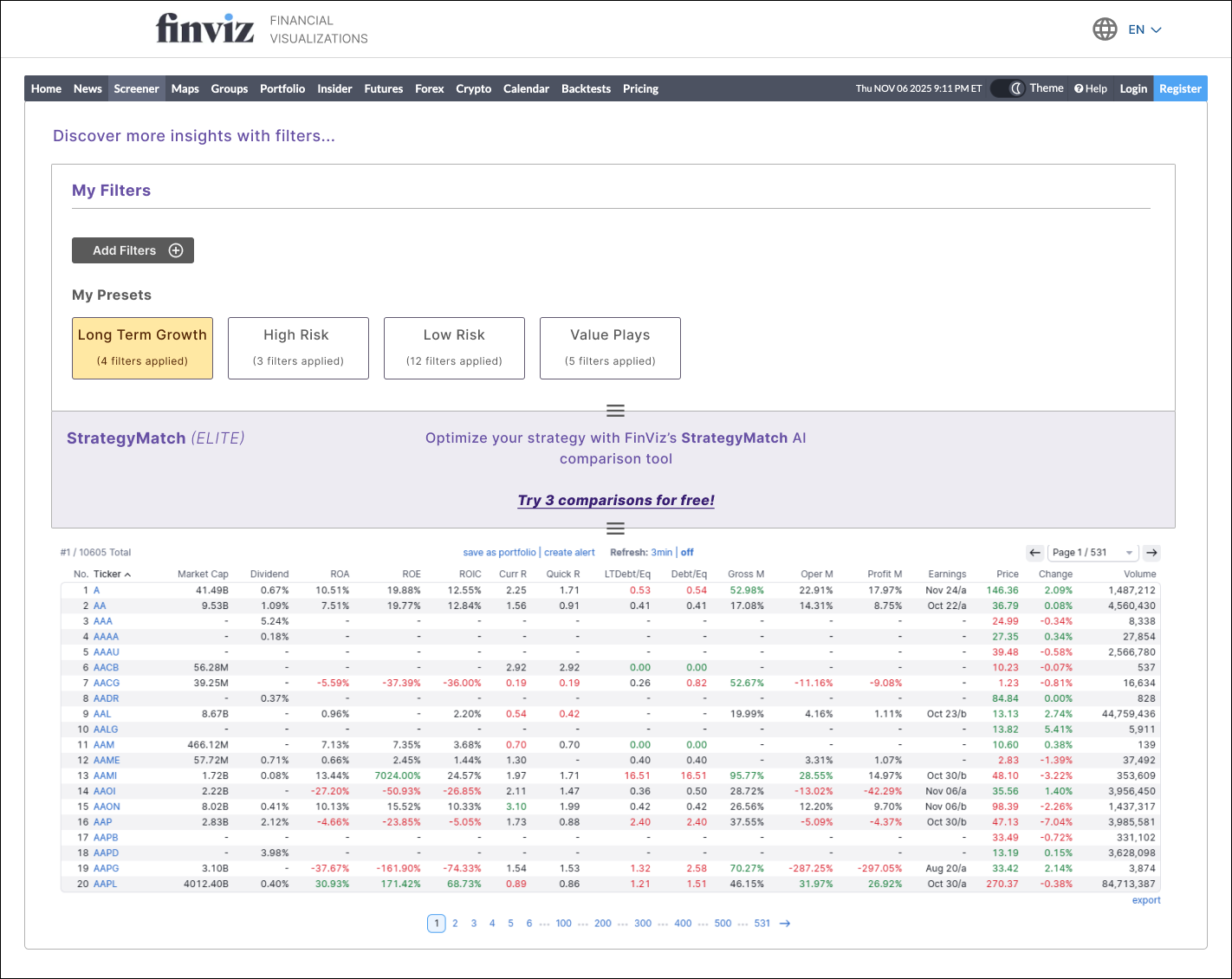
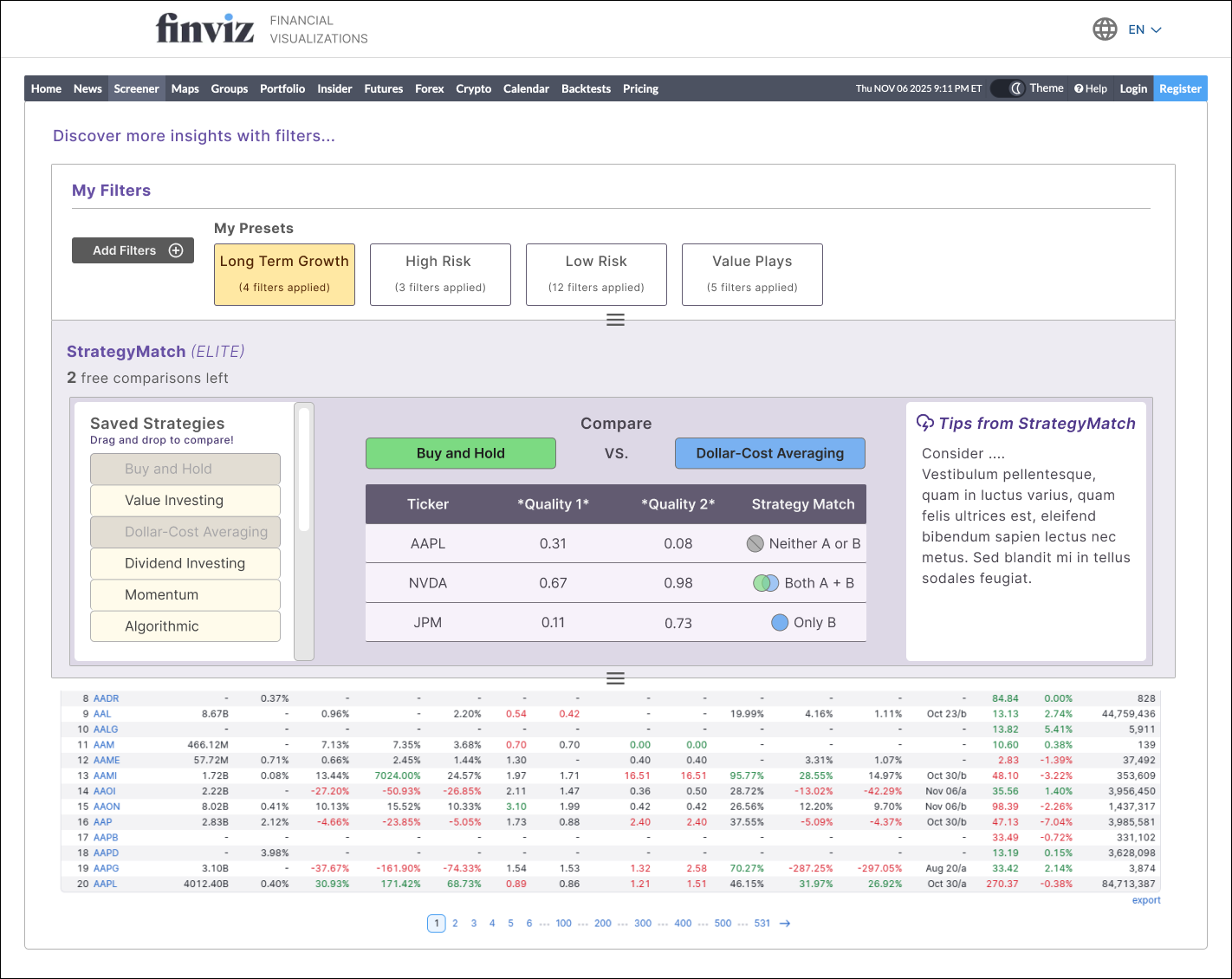
Explored how the tool could provide customization with the use of AI-driven and user created filter pre-sets. Introduced an in-app instructional menu that users can follow if they get stuck or overwhelmed. Designed the table output to be configurable based on a users applied filters. Incentivized users to explore the 'Strategy Match AI' function for elite members, which compares their strategies against stock tickers in real time to provide suggestions.
View in Figma ↗
Brief 03 - Complex Forms
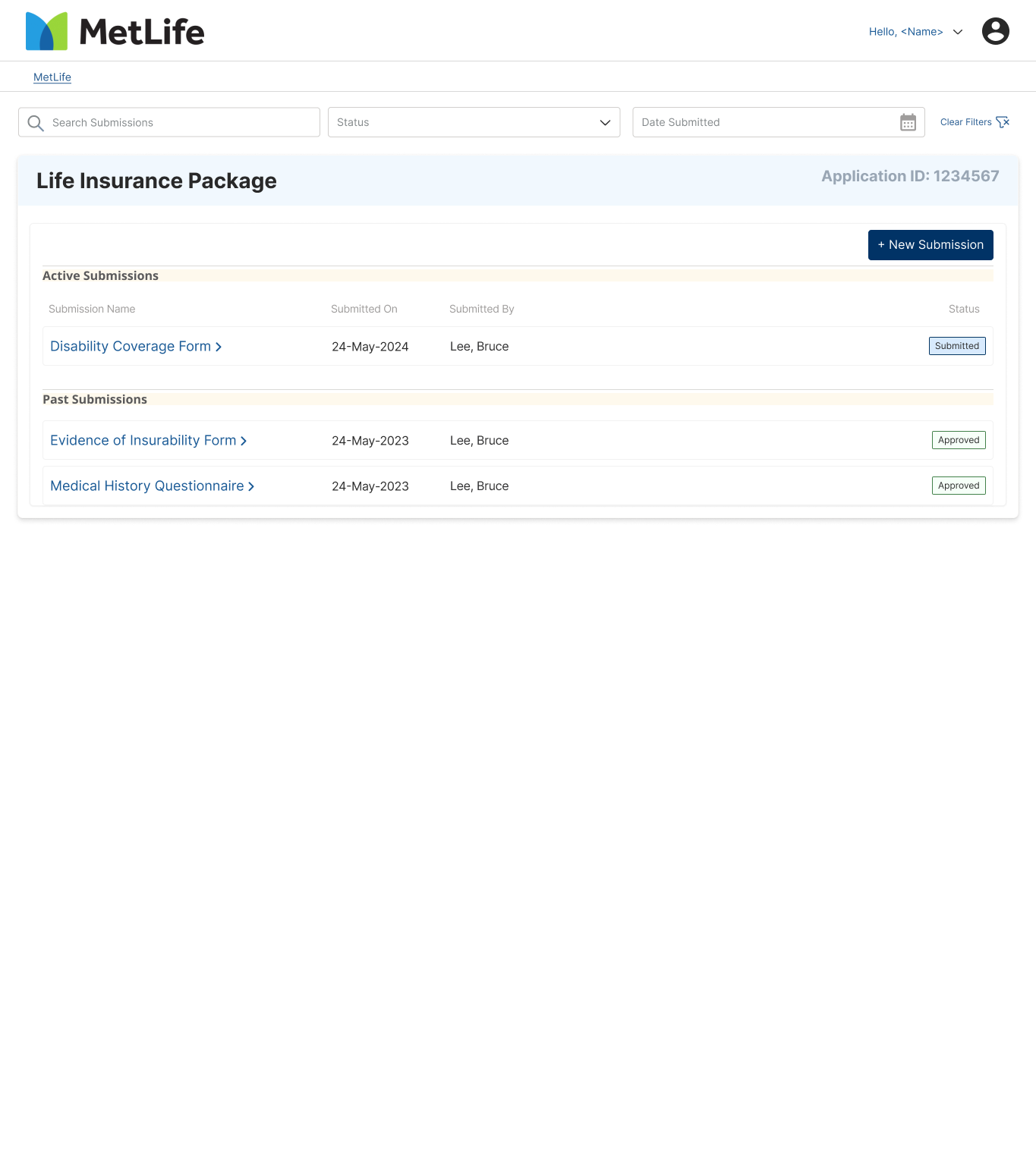
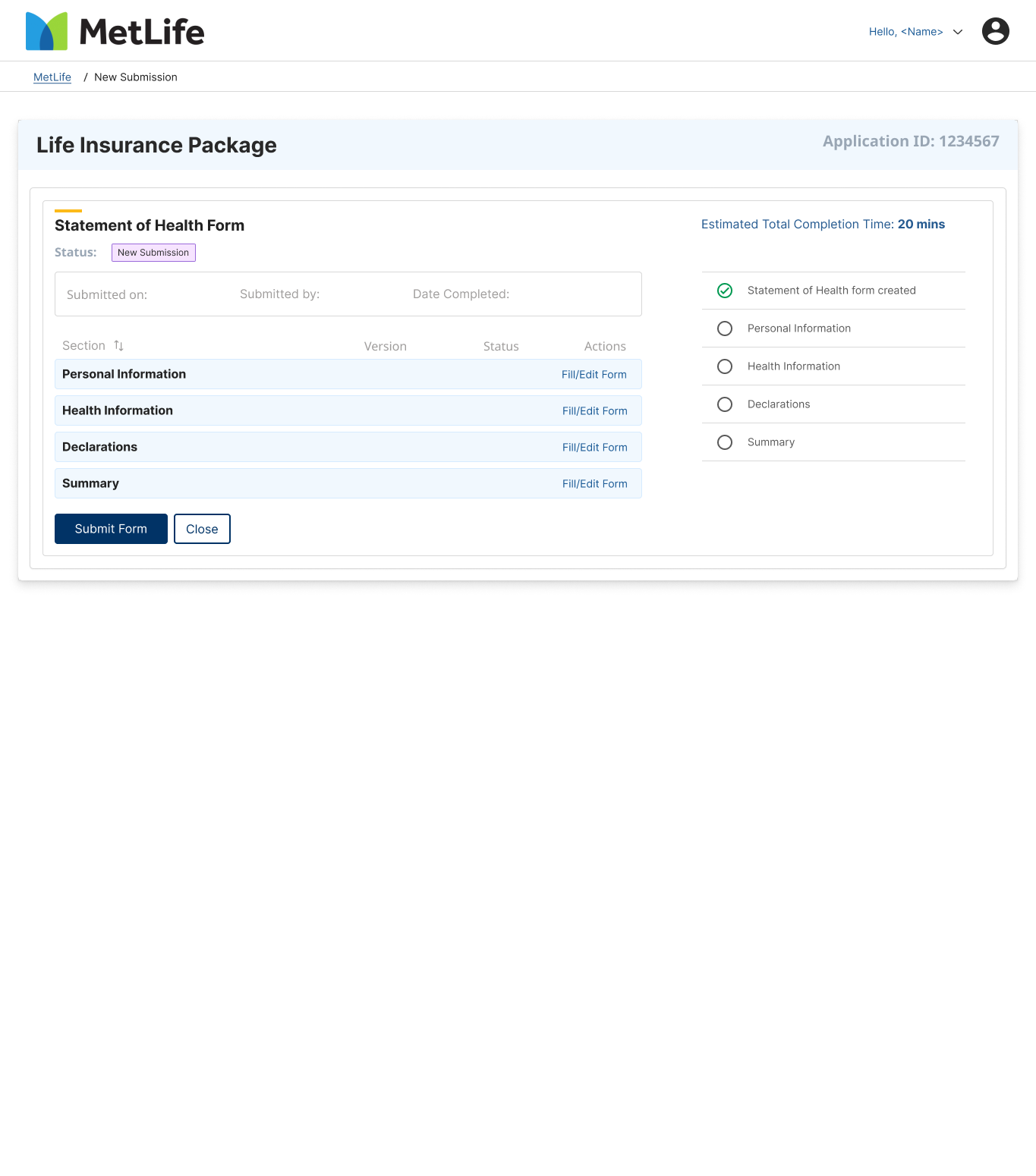
MetLife Complex Insurance Form
Insurance applications are notoriously long, conditional, and high-stakes for users who are often completing them during stressful life events. The task was to redesign MetLife's multi-page insurance form to reduce drop-off, minimize errors, and make users feel in control of the process.
Multi-step forms
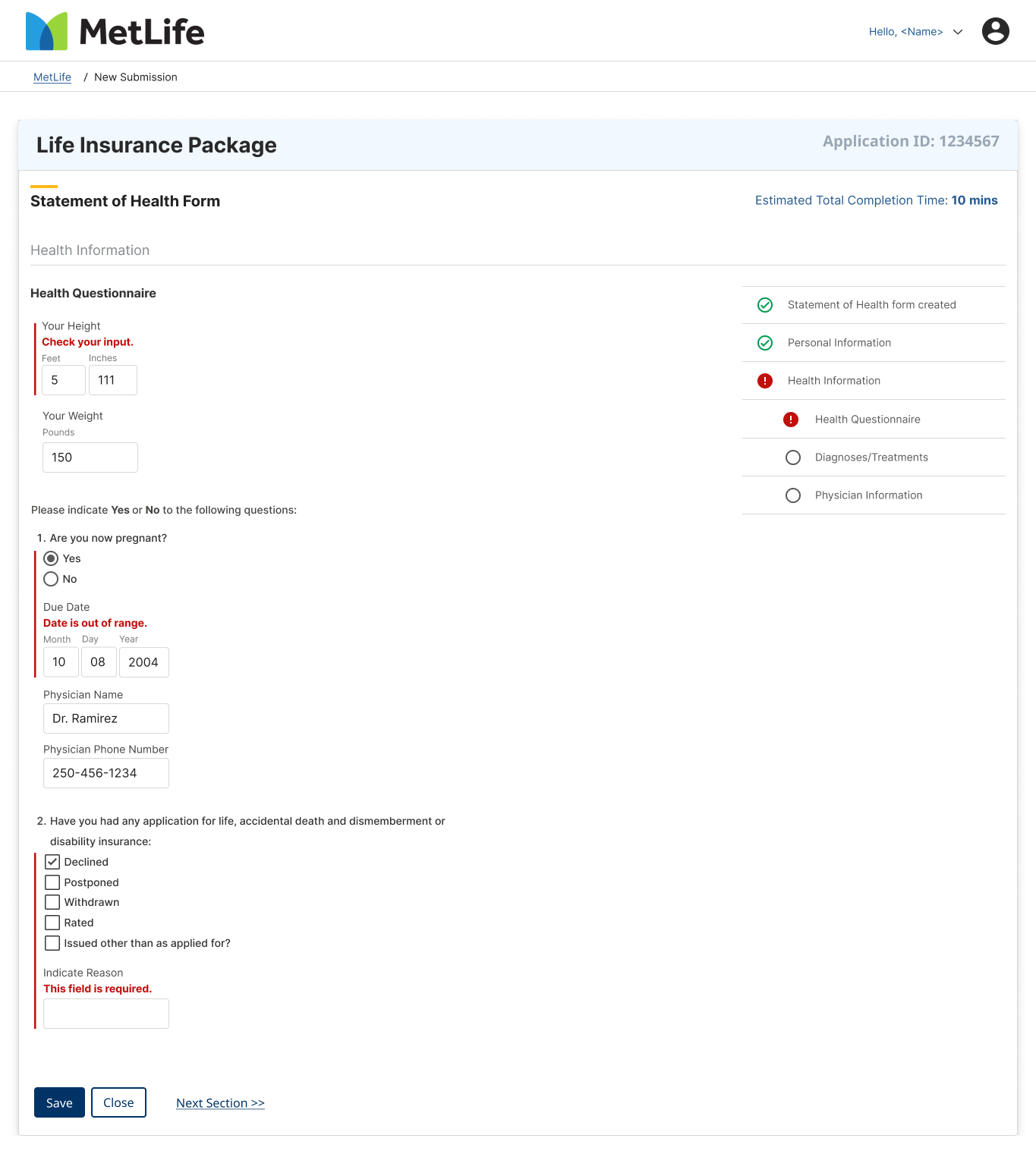
Error prevention
Conditional logic
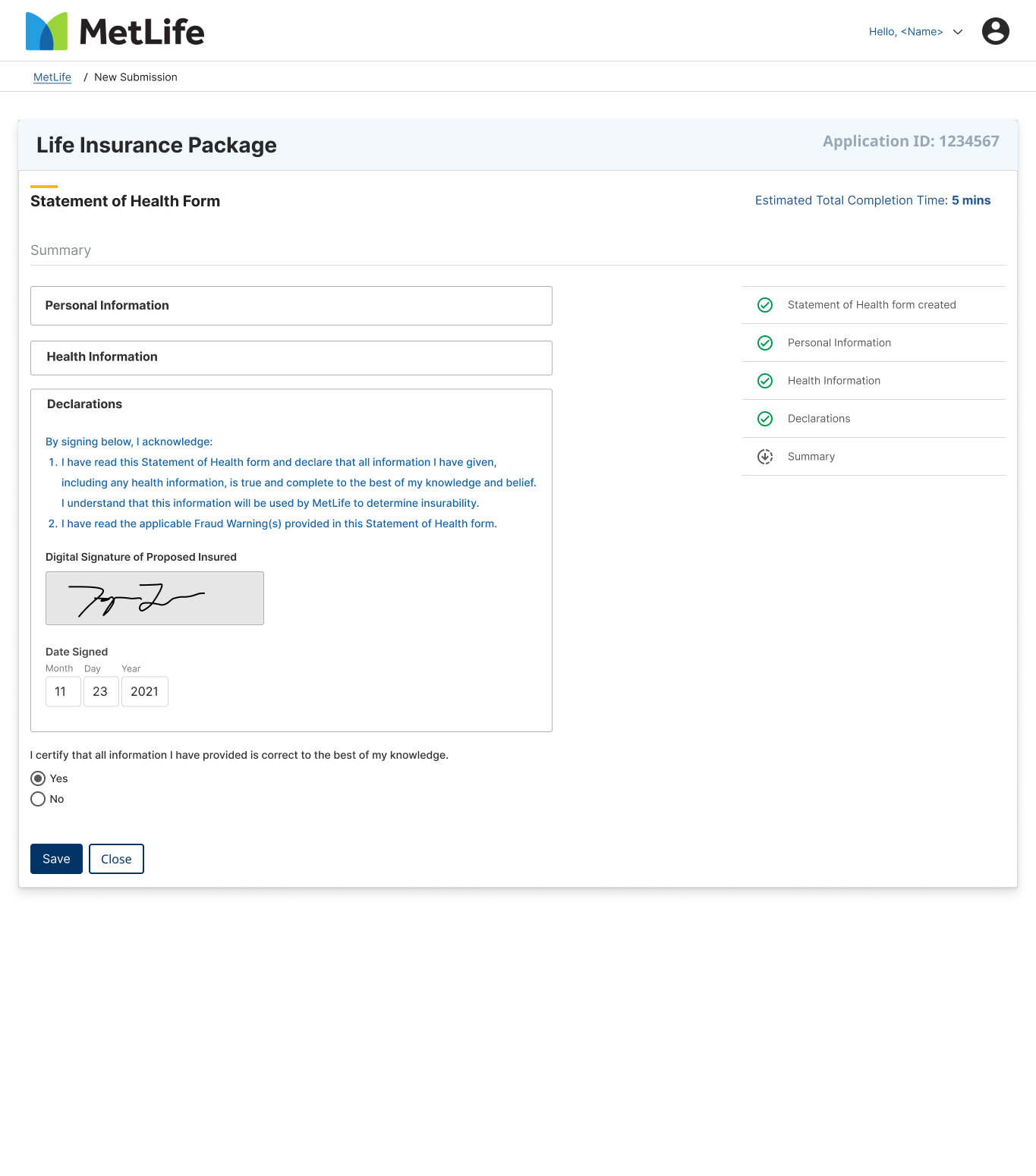
Step-by-step walkthrough
Approach
Focused on reducing cognitive load through progressive disclosure - only showing fields relevant to the user's previous answers. Designed explicit progress indicators and a summary review step before submission to build confidence and reduce errors. Error states were designed to explain what went wrong and where in the process.
View in Figma ↗
Brief 04 - Data Dashboard
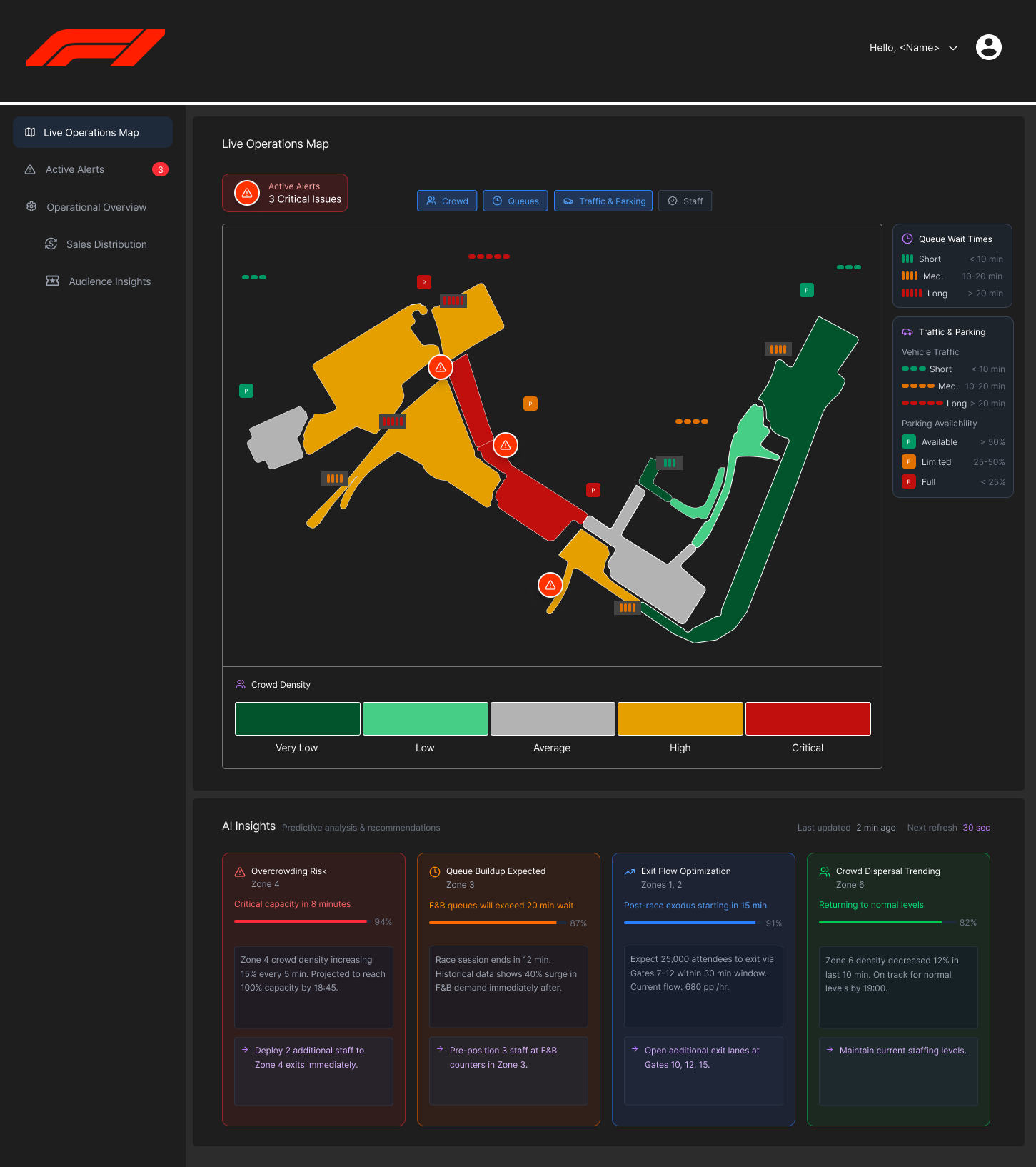
Singapore Grand Prix Operations Dashboard
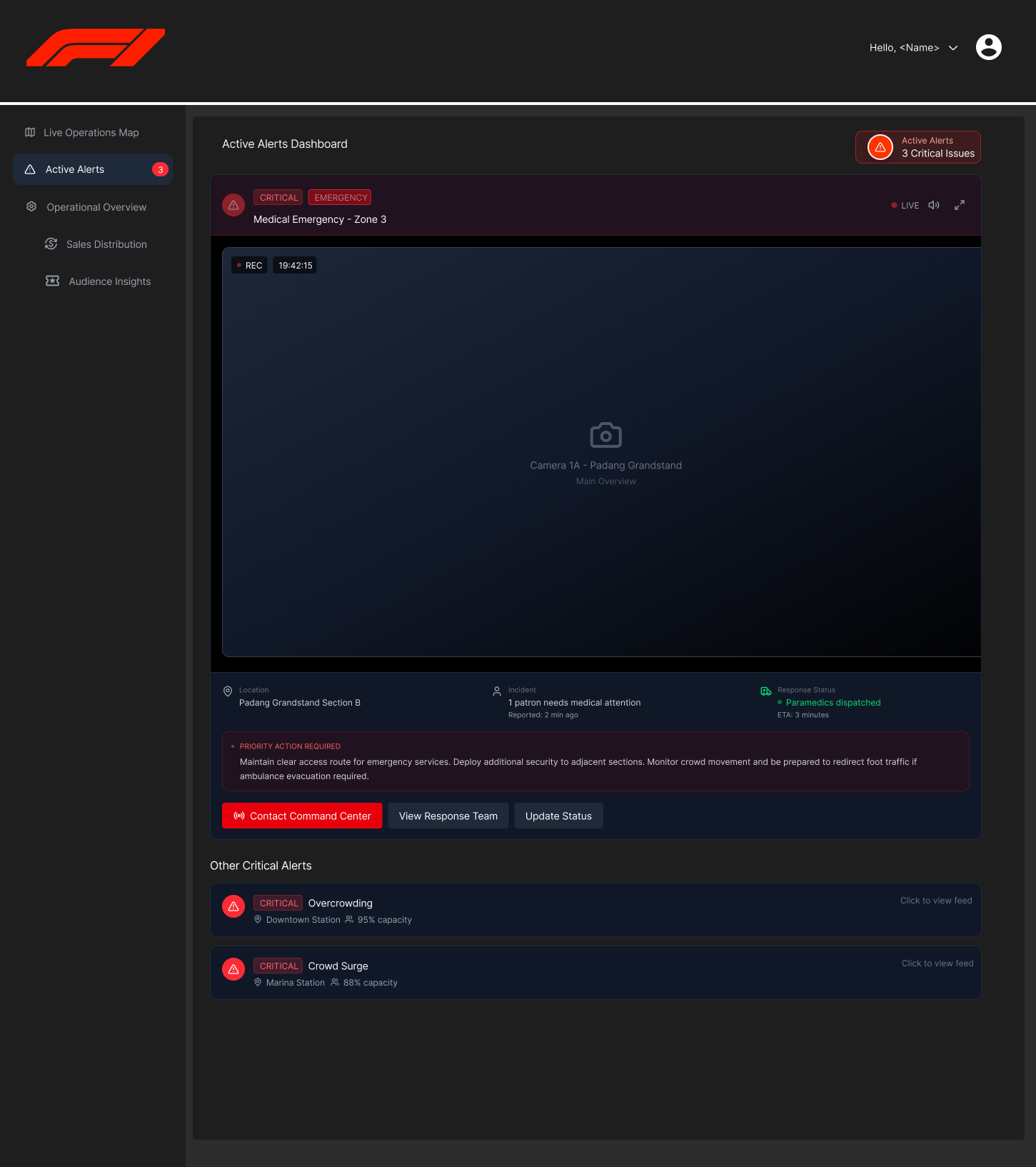
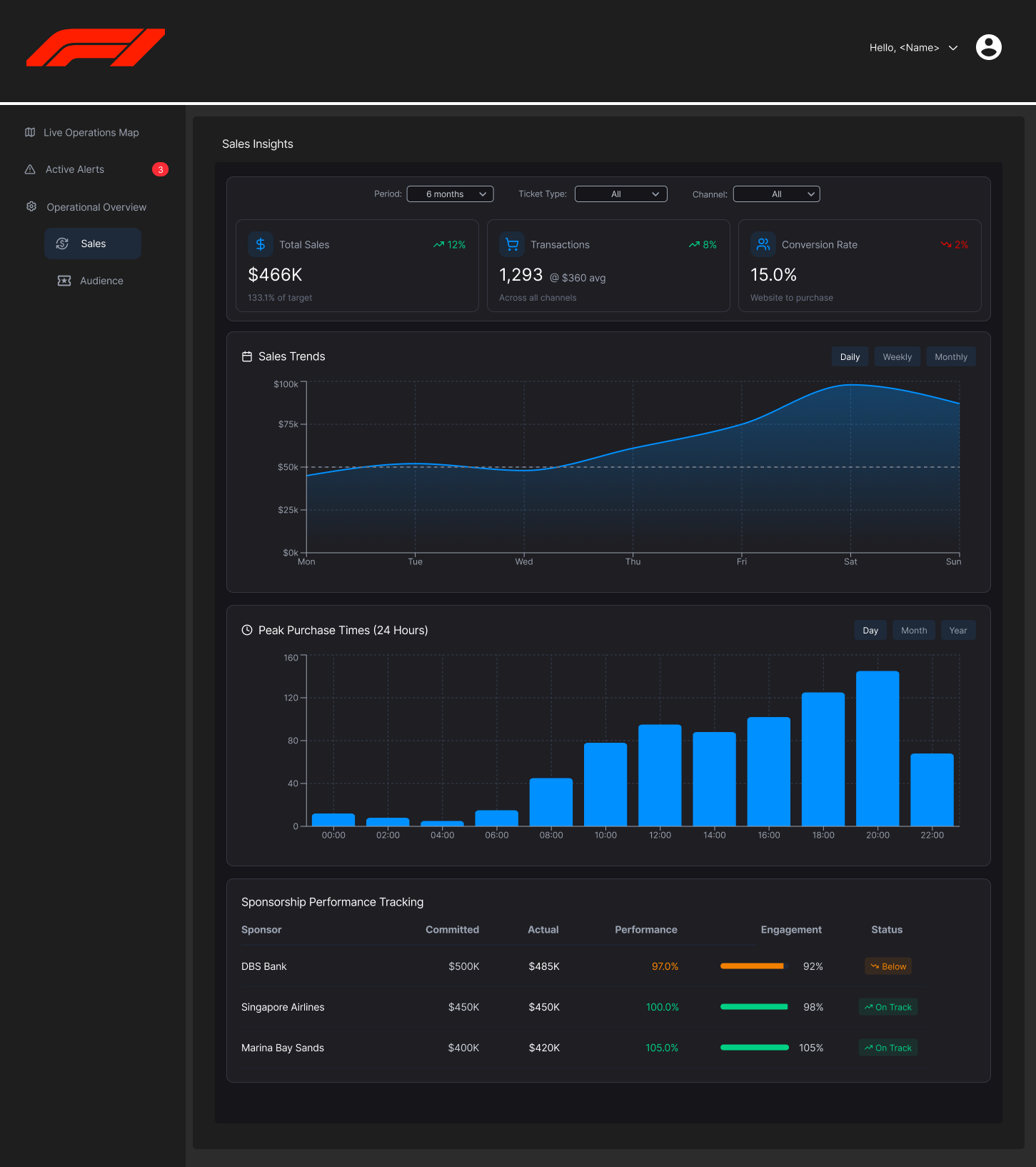
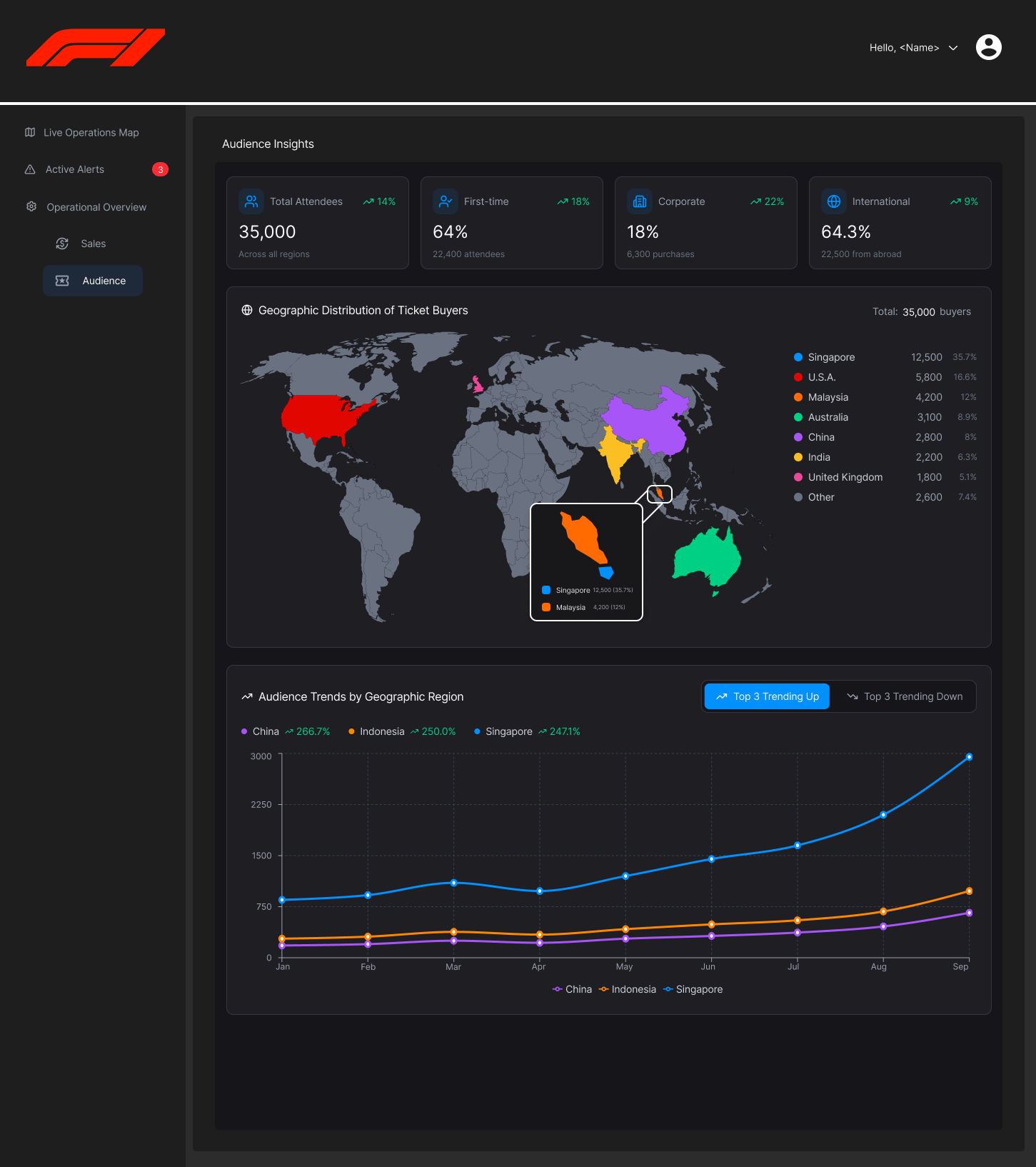
A real-time operations dashboard for the Singapore F1 Grand Prix. Primarily used by event staff to monitor crowd flow, manage queues, track sales, surface emergency alerts, and gain audience insights across the event. Designed for high-stakes, time-pressured decision making.
Data dashboard
Real-time operations
Event management
Emergency alerts
Approach
The core challenge was alert hierarchy, as not all data is equally urgent. Designed an alert system that could not be filtered on/off for critical alerts, added a distinct tab to triage alerts, and clear priority escalation so that staff can prioritize accordingly. The track map with crowd density overlay was the visual anchor of the dashboard, giving operators a spatial understanding of the event at a glance. Operational overview data was available in a tabbed collapsible menu.
View in Figma ↗